

Contract Default Terms
Last updated on December 15, 2025
Contract Default Terms
Contract Default Terms
Created by
Amith on Feb 05, 2021
Contract Default Terms
This help article will assist you with customizing the details that appear on your contract.
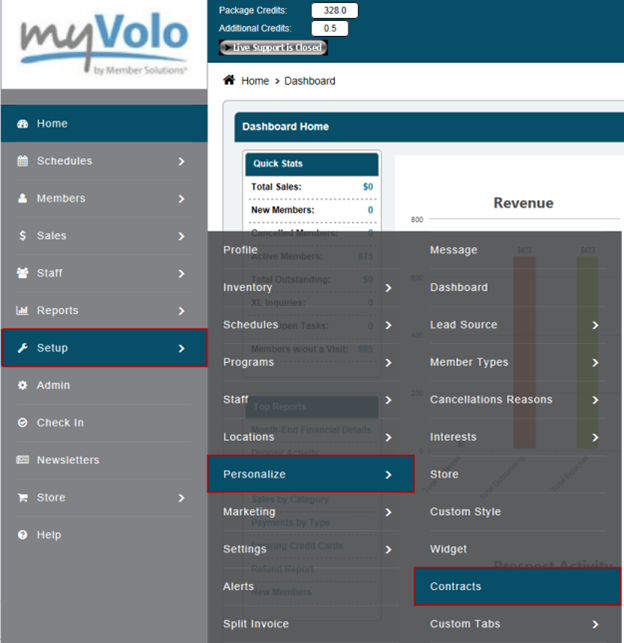
•Click Setup
•Click Personalize
•Click Contracts
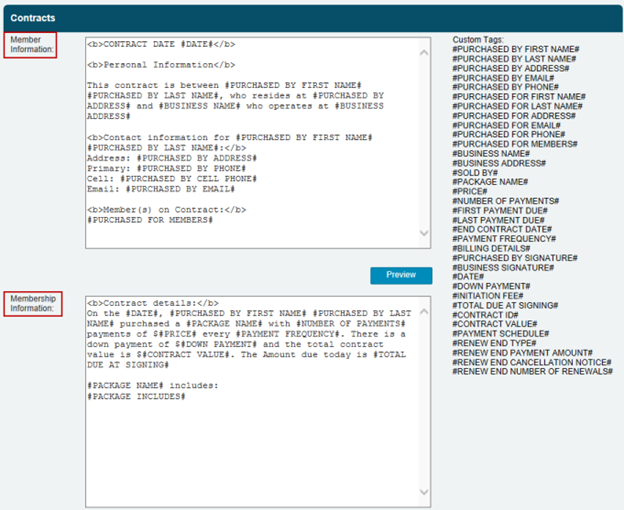
Member Information: This area contains specific details about the member on the contract and details about the business creating the contract.
Membership Information: This area contains specific details about the actual membership terms
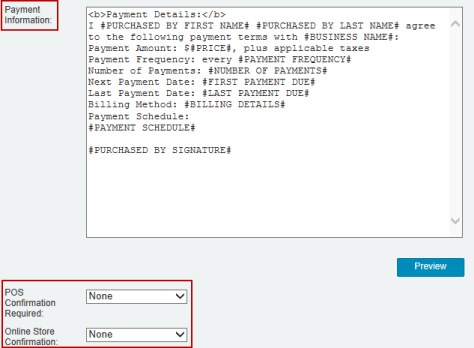
•Payment Information: This area contains details on payment, such as the number of payments, payment frequency, etc.
•POS Confirmation Required: Choose the type of confirmation at the point of sale, between None if no confirmation is required, Signature if you will be using a signature pad or Digital Confirmation where the client can just simply type their name as acceptance.
•Online Store Confirmation: Choose between No Confirmation or Digital Confirmation
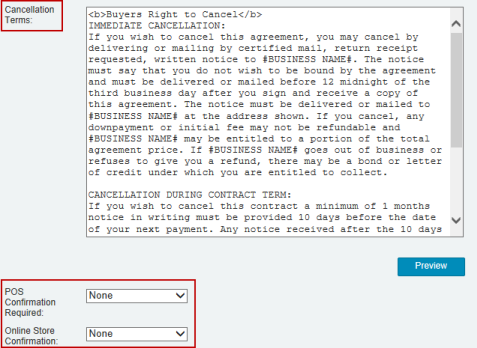
•Cancellation Terms: This area contains details on the contract's cancellation terms.
•POS Confirmation Required: Choose the type of confirmation at the point of sale, between None if no confirmation is required, Signature if you will be using a signature pad or Digital Confirmation where the client can just simply type their name as acceptance.
•Online Store Confirmation: Choose between No Confirmation or Digital Confirmation
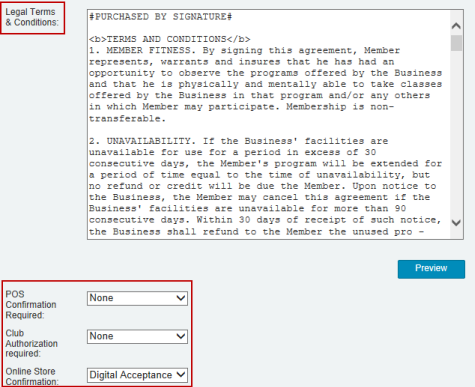
•Legal Terms & Conditions: This area contains details of the contract's legal terms and conditions.
•POS Confirmation Required: Choose the type of confirmation at the point of sale, between None if no confirmation is required, Signature if you will be using a signature pad or Digital Confirmation where the client can just simply type their name as acceptance.
•Club Authorization Required: Choose between No Confirmation, Signature or Digital Confirmation
•Online Store Confirmation: Choose between No Confirmation or Digital Confirmation
•Click Save
Still need help?
If you can’t find what you’re looking for, our support team is happy to help.