

Create A Questionnaire
Last modified by Isaac Mejia on 2025/12/15 16:20
Last updated on December 15, 2025
Create A Questionnaire
Create A Questionnaire
Created by
Amith on Feb 05, 2021
Create questionnaires and online forms within your site. You can create waivers, lifestyle and health forms, PAR-Q's... whatever you like!
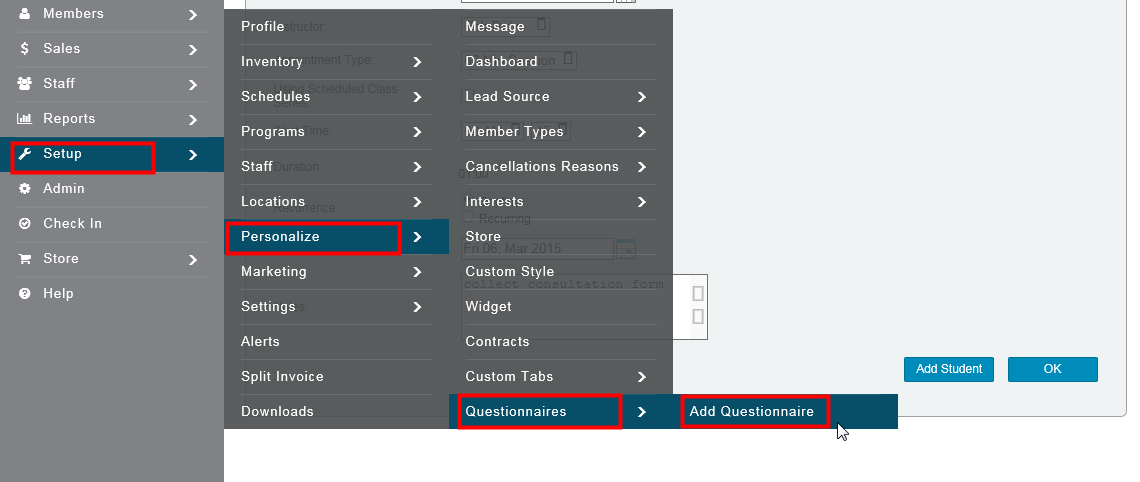
Click Setup
- Click Personalize
- Click Questionnaires
- Click Add Questionnaire
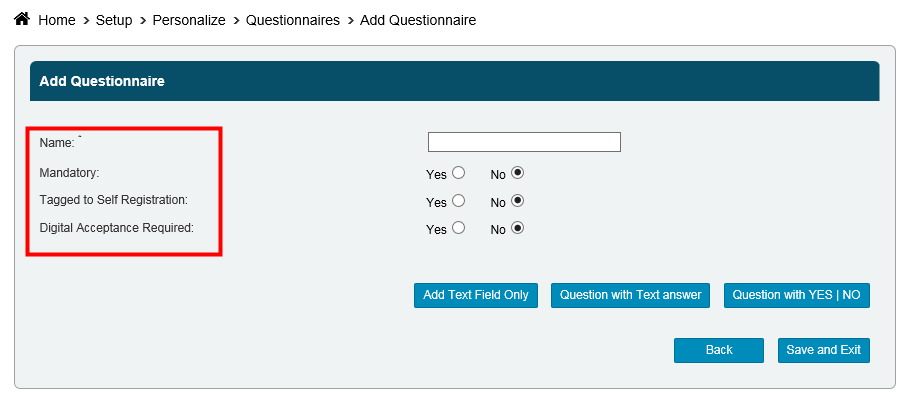
- Enter a Name for your questionnaire
- Select whether or not it will be a Mandatory questionnaire
- Select whether or not the questionnaire will be Tagged to Self Registration, which means that clients who self-register themselves will have to complete the questionnaire.
- Select whether or not Digital Acceptance is required.
Now, it's time to build your questionnaire. You can choose to either Add Text Field, add a Question with Text Answer or a Question with Yes/No response.
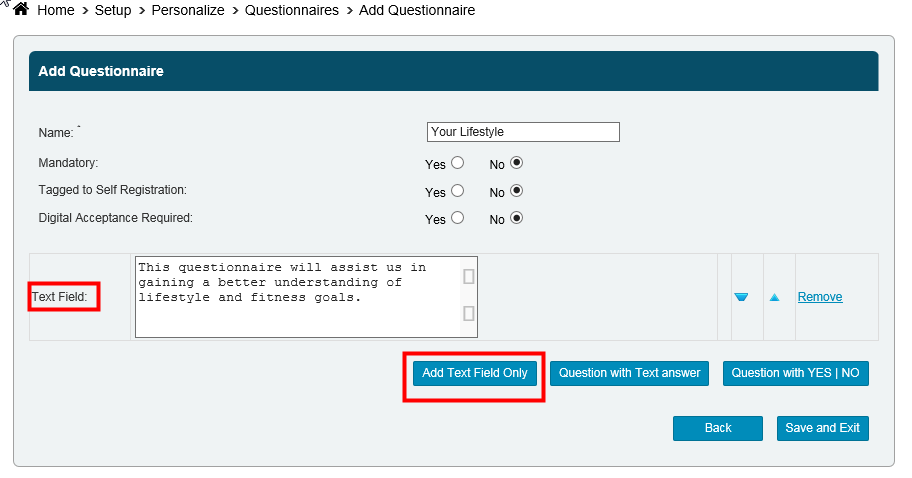
- We recommend starting off with a Text Field to introduce the questionnaire to your clients and for any instructions you may have.
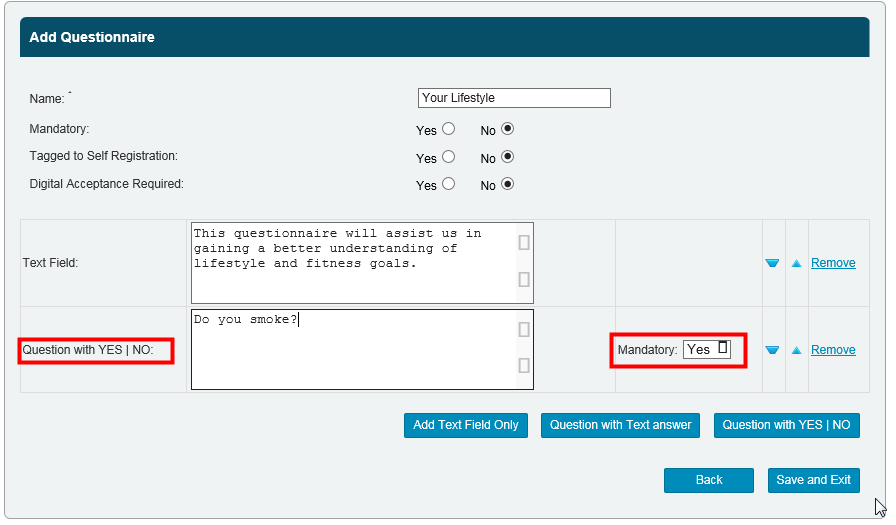
- If you'd like to add a Question with Yes/No, select that option. You can also select whether or not each specific question is mandatory using the corresponding drop-down menu.
- To add a Question with Text Answer, select that option. Again, you can select whether or not this question is mandatory.
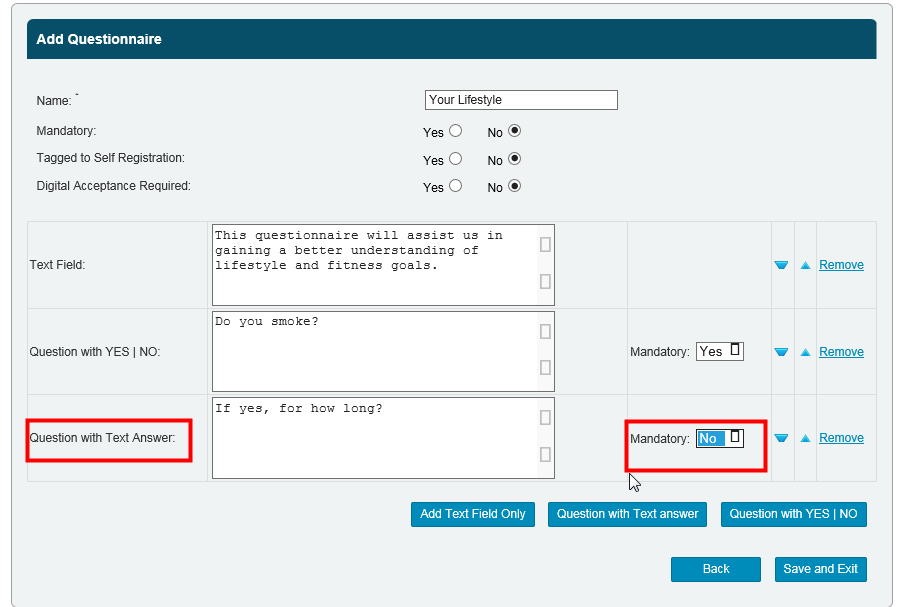
Add as many fields as you want. Once you're all done, click Save and Exit.
NOTE:
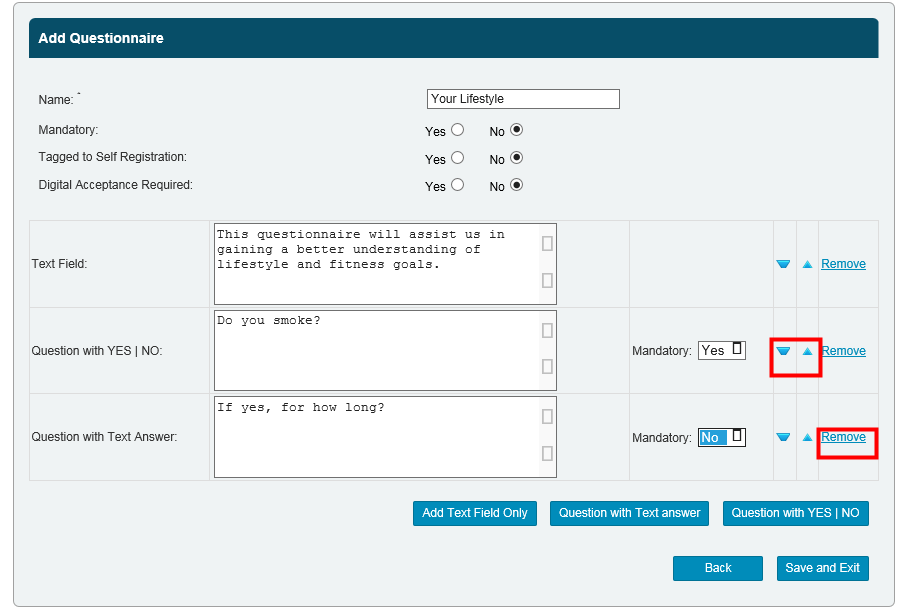
- You can use the arrows besides each field to shift it either up or down.
- You can click
Remove to delete a question
Still need help?
If you can’t find what you’re looking for, our support team is happy to help.