

Create Categories
Last modified by Isaac Mejia on 2025/12/15 16:20
Last updated on December 15, 2025
Create Categories
Create Categories
Created by
Amith on Feb 05, 2021
Click Setup
- Click Inventory
- Click Categories
- Click Add Category
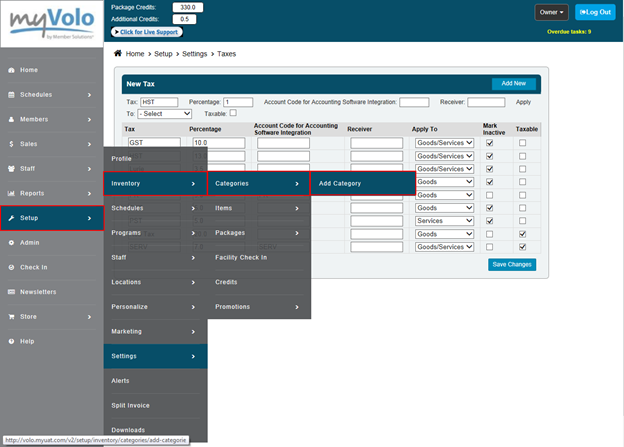
- Type in the Category Name
- Type in the Category Description
- Type in the Account Code that corresponds to the account code in the accounting program that you use.
- If you do not use an accounting program you can leave this blank.
- Click OK
Still need help?
If you can’t find what you’re looking for, our support team is happy to help.