

Editing Existing Contracts
Last modified by Isaac Mejia on 2025/12/15 17:04
Last updated on December 15, 2025
Editing Existing Contracts
Editing Existing Contracts
Created by
Amith on Feb 05, 2021
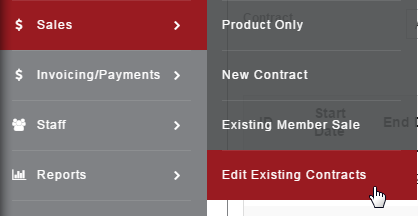
Sales>Existing Contracts
Use the Edit Existing Contracts option to make changes to any Active contract.
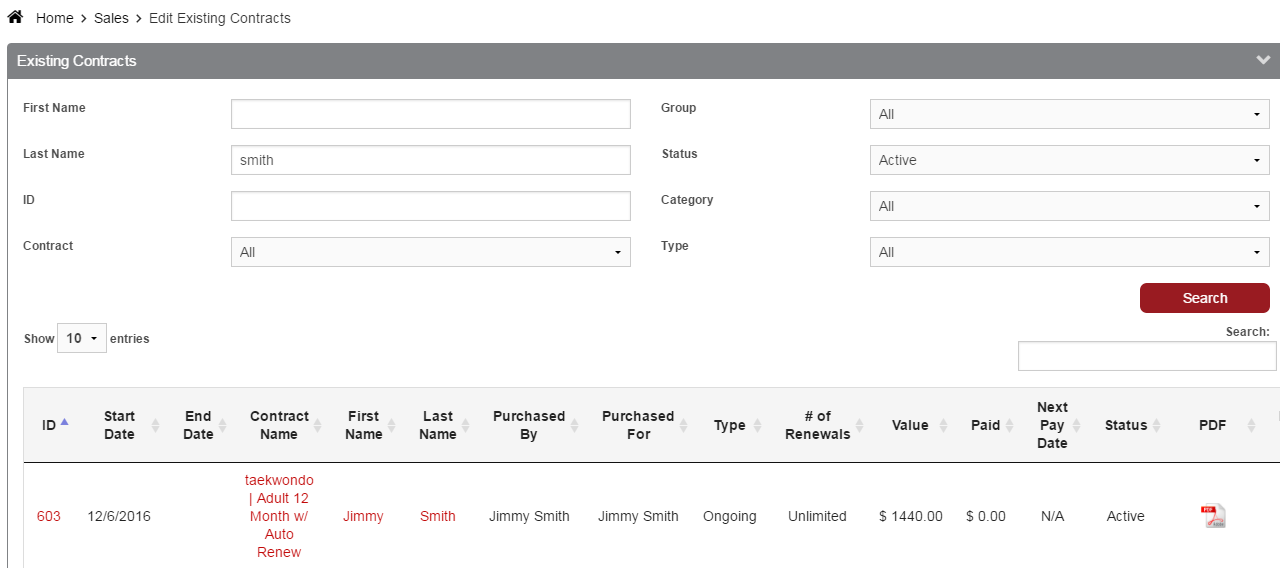
Search for Existing Contracts by any of the following:
First Name
- Last Name
- ID
- Contract (choose item from drop-down)
- Group
- Status
- Category
- Type
Click the Contract Name to pull up the Contract Details and edit. Click the Member Name to pull up the Member Profile in a separate window.
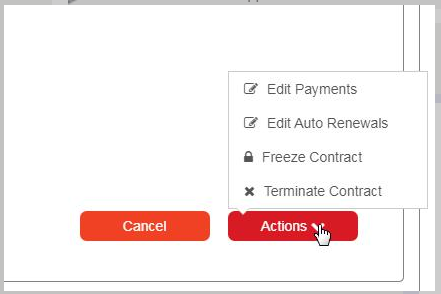
In the Contract Details, click the Actions button for options to Edit Payments, Edit Auto Renewals, Freeze Contract, or Terminate Contract.
Still need help?
If you can’t find what you’re looking for, our support team is happy to help.