

How To Create A Credit
Last modified by Isaac Mejia on 2025/12/15 16:54
Last updated on December 15, 2025
How To Create A Credit
How To Create A Credit
Created by
Amith on Feb 05, 2021
This help article will show you how to create a credit in your Volo site.
Click Setup
- Select Inventory
- Select Credits
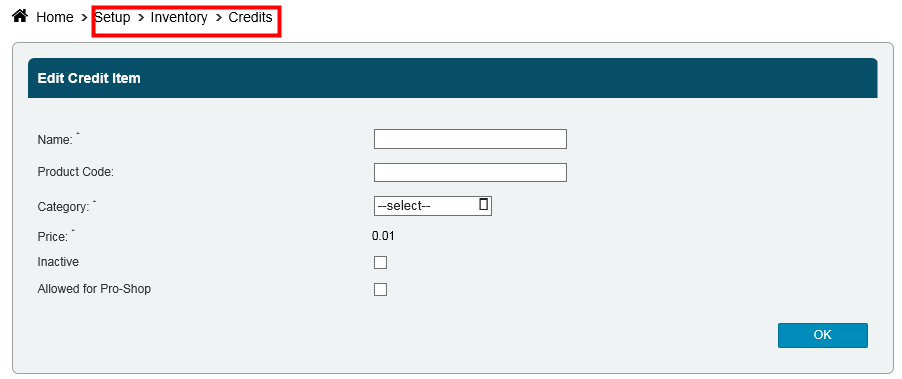
- Provide the name as you want it to appear in your system like Credit
- The price is always 0.01
- Place this item in your newly created Credits category
- Select OK
Still need help?
If you can’t find what you’re looking for, our support team is happy to help.