

New Product Sale
Last modified by Isaac Mejia on 2025/12/15 16:51
Last updated on December 15, 2025
New Product Sale
New Product Sale
Created by
Amith, last modified by
Cathy Beckstead on Mar 22, 2021
Sales > Product Only Sale
Use Product Only Sale when selling a product item that you do not need to link to a specific member. Example: water bottle or nutrition bar.

Go to Sales>Product Only.
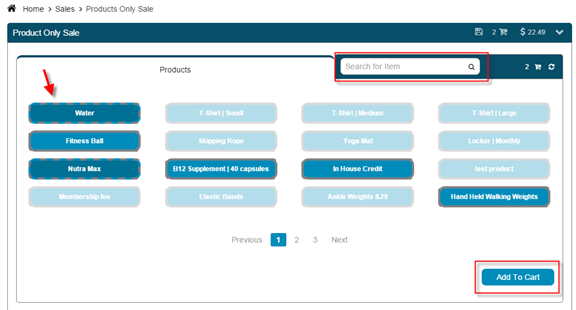
- Click on the item(s) for purchase, or search for a specific item.
- Click Add to Cart.
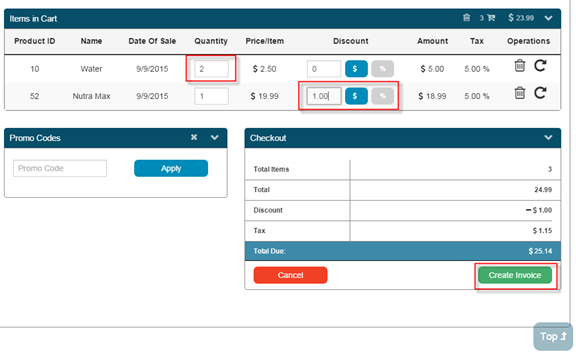
Once your items are in the shopping cart you can:
- Update Quantity.
- Add a Discount or Promo Code.
- Set the item as Recurring.
- Remove item from cart.
Click Create Invoice to complete the sale and take the payment.
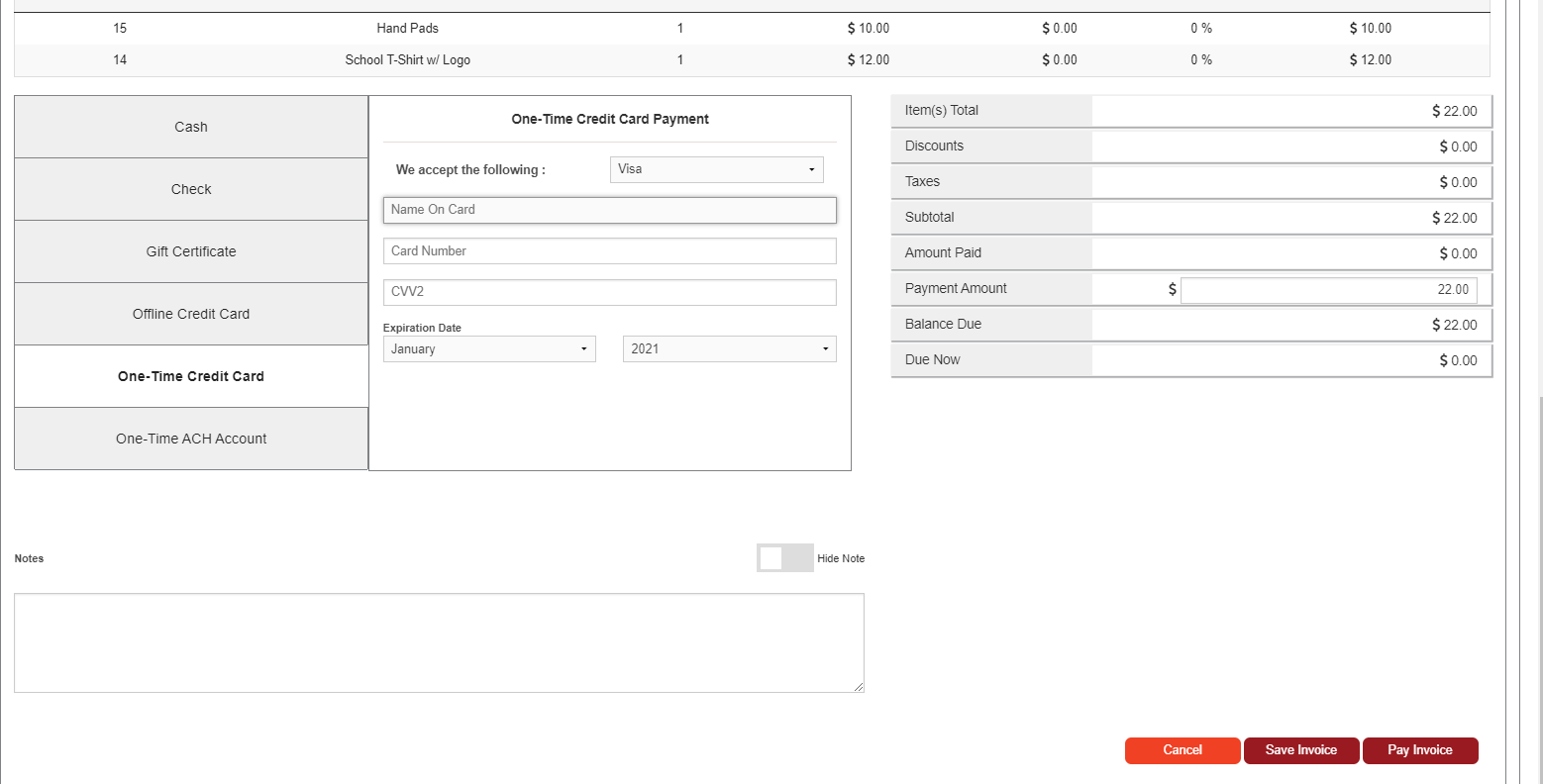
Enter the payment amount, choose type of payment (Cash, Check, Credit Card, etc.) and click Pay Now.
The sale is completed. Choose Print Options to print the invoice.
Still need help?
If you can’t find what you’re looking for, our support team is happy to help.