

Dashboard Top Reports
Last modified by Isaac Mejia on 2025/12/15 16:52
Last updated on December 15, 2025
Dashboard Top Reports
Dashboard Top Reports
Created by
Amith, last modified by
Cathy Beckstead on Nov 14, 2022
[data-colorid=iclxyv26vl]{color:#ff5630} html[data-color-mode=dark] [data-colorid=iclxyv26vl]{color:#cf2600}[data-colorid=u1fe8yhk1q]{color:#ff5630} html[data-color-mode=dark] [data-colorid=u1fe8yhk1q]{color:#cf2600}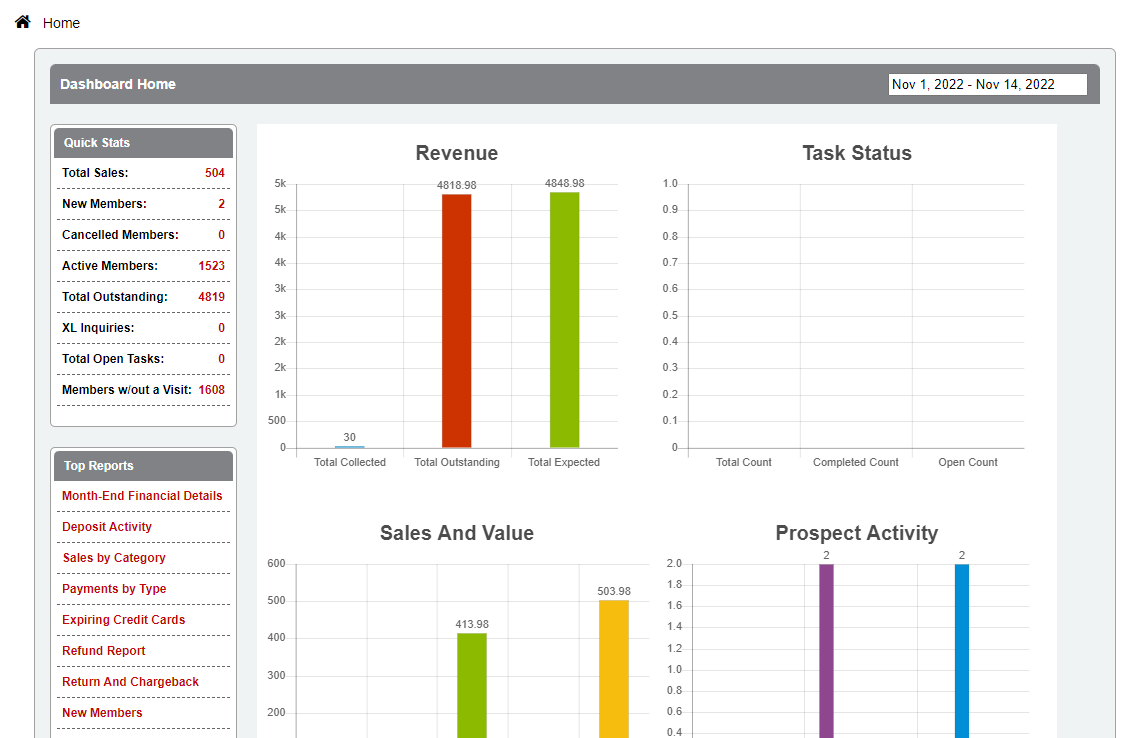
Below is a description of the Top Reports displayed in the Member Manager Dashboard. You may not see all of these reports as they are dependent on your user permissions.
Month-end financial details – Link to month-end financial report in Member Solutions. Member Solutions clients only.
- Deposit activity – Link to deposit activity report in Member Solutions. Member Solutions clients only.
- Sales by Category – View sales by category or item in a designated date range.
- Payments by Type – Track payments received by payment type and date range.
- Expiring Credit Cards –A list of accounts with expired credit cards from 30 days ago to 30 days in the future.
- Refund Report – Display members' refund details.
- Return and Chargeback – Lists all returned and charged back payments within a date range.
- New Members – Track all new members and their referral source.
Still need help?
If you can’t find what you’re looking for, our support team is happy to help.