

Create Lead Message
Last updated on December 15, 2025
Create Lead Message
Create Lead Message
Created by
Amith, last modified by
Cathy Beckstead on Feb 18, 2021
[data-colorid=ih5zzpdo9m]{color:#ff5630} html[data-color-mode=dark] [data-colorid=ih5zzpdo9m]{color:#cf2600}[data-colorid=gqjlum5dyi]{color:#ff5630} html[data-color-mode=dark] [data-colorid=gqjlum5dyi]{color:#cf2600}The Message Center is where you can create custom emails and text messages (additional text messaging package required) that can be sent out automatically through your lead flows.
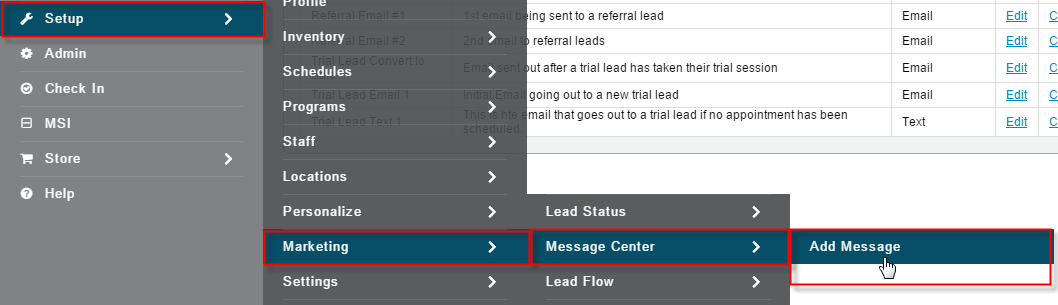
Select the Setup tab
- Select Marketing
- Select Message Center
- Select Add Message
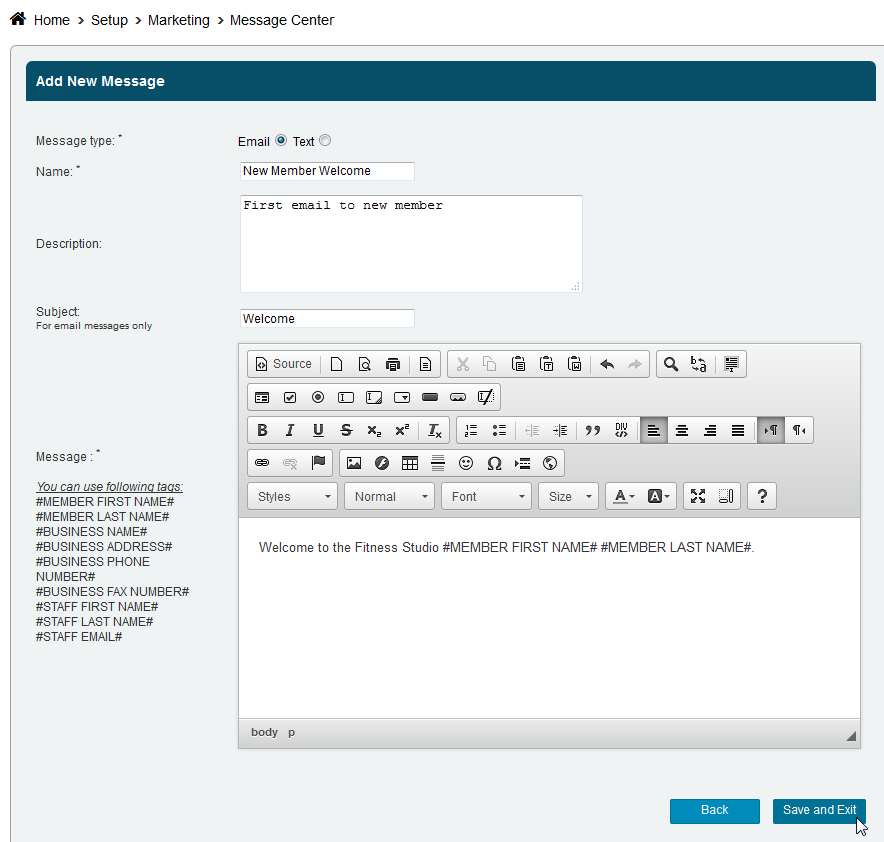
- Select Email or Text
- Name the message and give it a Description - for your internal purpose only
- Give your message a subject
- Create your message using the email editor.
NOTE: When adding an image, it is recommended that you resize it before uploading.
- Click Save & Exit
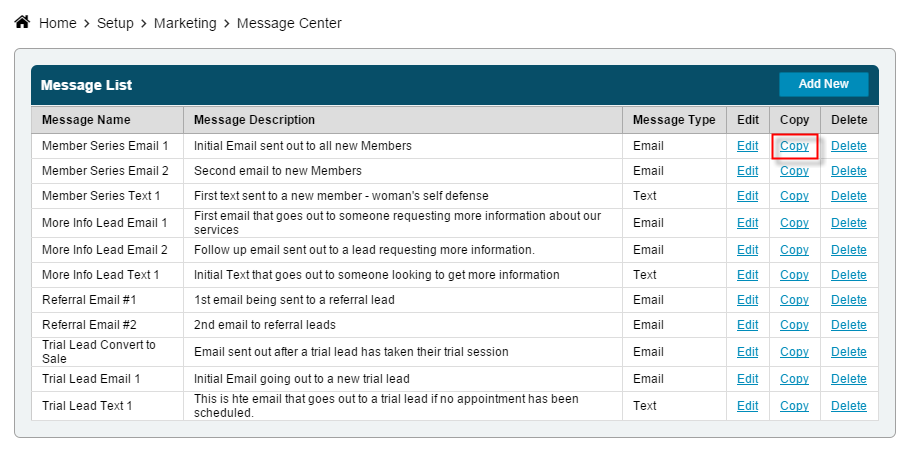
You can also Copy a message by selecting that option on the Message Center page and then make the necessary changes and save it with a new name.
Still need help?
If you can’t find what you’re looking for, our support team is happy to help.