

Auto Close Days
Last modified by Isaac Mejia on 2025/12/15 16:30
Last updated on December 15, 2025
Auto Close Days
Auto Close Days
Created by
Amith on Feb 05, 2021
If you're looking for an even easier way to make sure all the appointments on your schedule are tracked, trying selecting to Auto Close your days in Volo. This function automatically occurs between 11:30pm-12:00am.
To set up auto-close
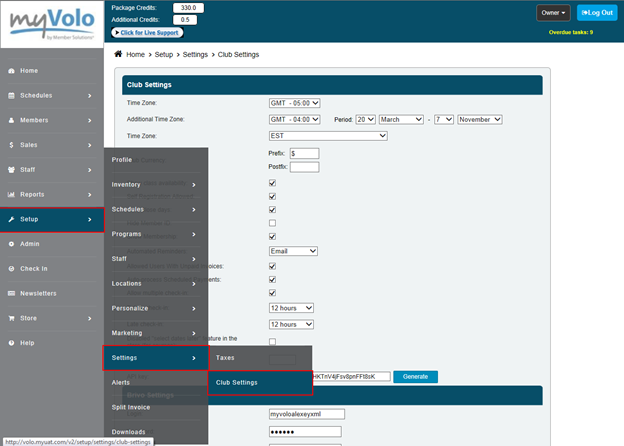
Click on the Setup tab
- Select Settings
- Select Club Settings
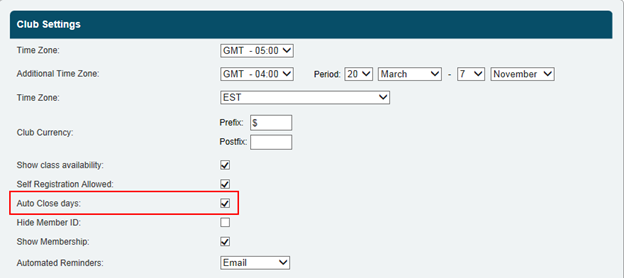
- And select Auto close days
- Click Save
Volo will automatically close the day in your Volo system at midnight.
All members booked into appointments on the schedule when the day is closed will be marked as checked in. Be sure to cancel out any members who you do not want to have sessions sent to their account.
Still need help?
If you can’t find what you’re looking for, our support team is happy to help.