

Booking An Appointment: Private Type Schedule
Last modified by Isaac Mejia on 2025/12/15 16:28
Last updated on December 15, 2025
Booking An Appointment: Private Type Schedule
Booking An Appointment: Private Type Schedule
Created by
Amith on Feb 05, 2021
This schedule is viewed by staff member across the top and the appointments will be linked to a member but not to a specific area inside your facility
Click on the calendar to select the day that you want to book an appointment.
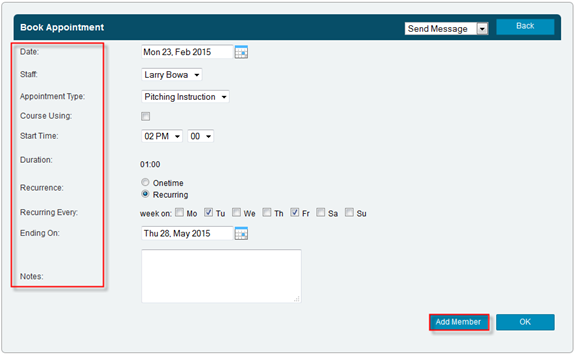
- Click on the cell that corresponds to the time and staff member for that appointment.
- Select the Appointment type from the drop down box
- If it is a recurring appointment, select Recurring.
- Select the days of the week the appointment will recur.
- Select the date that the recurrence ends.
- Click Add Member
- Enter the desired member information
- Click Search
- Click Add to select the member.
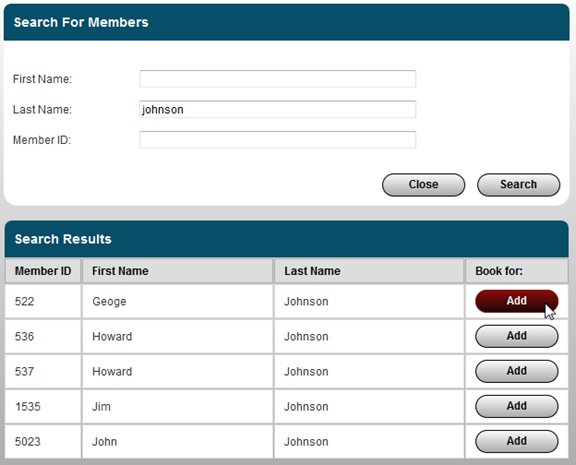
- Volo will then populate the appointment screen
- Click OK

Still need help?
If you can’t find what you’re looking for, our support team is happy to help.