

PCI Compliance Login
Last modified by Isaac Mejia on 2025/12/15 16:24
Last updated on December 15, 2025
PCI Compliance Login
PCI Compliance Login
Created by
Cathy Beckstead, last modified on Nov 19, 2024
To complete your PCI Self-Assessment Questionnaire (SAQ) and Scan:
Visit PCI Compliance | We help you comply on your PCI - Home
- Click on the ‘Login’ button
- If you do not remember your password from last year, click “Forgot Password”.
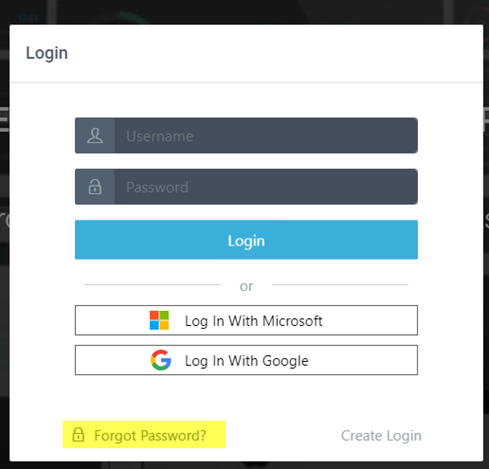
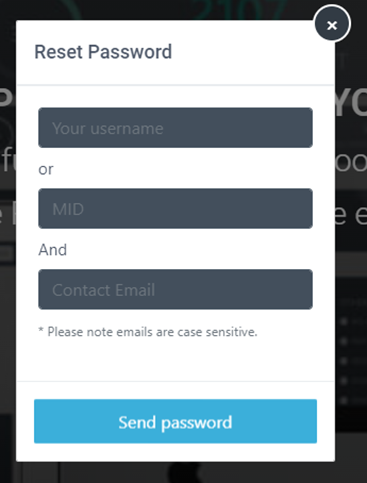
- Enter your Username. Your username should be your Member Solutions 6-digit client number (including any leading 0). Any letters should be capitalized. For example, 01234A.
- Enter your Email and click Send Password.
- You will receive an email with a reset password link. If you do not see an email in your inbox, be sure to check your spam folder. The email will look like this:
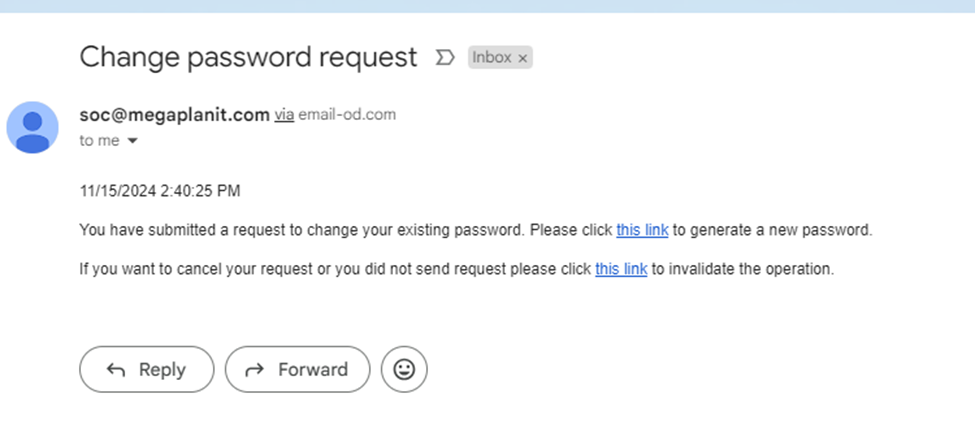
- Click the generate a new password link to update your password and log in. The new password must be 12 characters long and must contain one UPPERCASE letter, one lowercase letter, one number, and one symbol.
Click here for additional instructions on completing your SAQ and Scan.
Still need help?
If you can’t find what you’re looking for, our support team is happy to help.