

Close/Open Day
Last modified by Isaac Mejia on 2025/12/15 16:46
Last updated on December 15, 2025
Close/Open Day
Close/Open Day
Created by
Amith on Feb 05, 2021
Close / Open day
When you have closed the day Volo automatically takes all of the appointments from the schedule and either takes the appropriate item off of the member’s remaining tab or adds it to their on account tab.
- Once a day is closed none of the appointments can be edited.
- It is always a good idea to close the previous day to ensure that people aren’t accidentally making changes to appointments that occurred in the past. If someone is removed from the schedule before the day is closed Volo will NOT charge them for the session.
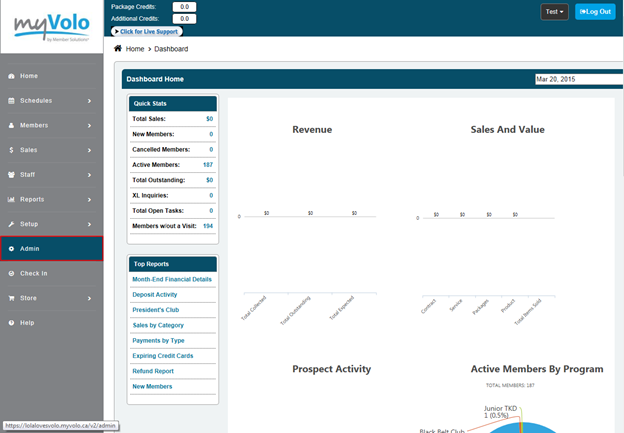
- Click Admin
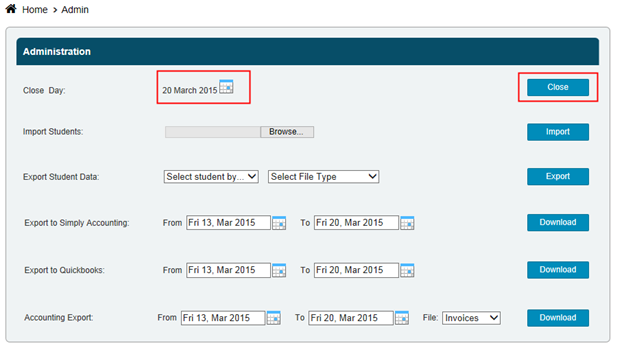
- Click on the calendar to select the day
- Click Close/Open
Still need help?
If you can’t find what you’re looking for, our support team is happy to help.