

Cash Count Report
Last modified by Isaac Mejia on 2025/12/15 16:30
Last updated on December 15, 2025
Cash Count Report
Cash Count Report
Created by
Amith on Feb 05, 2021
Cash Count Report
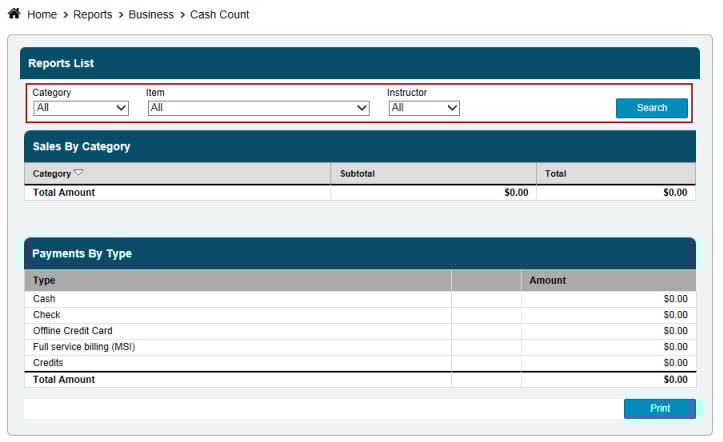
This report will show you Sales by Category as well as Payments by Type. The Cash Count Report will show you ALL sales and payments for the current day.
Click Reports
- Click Business
- Click Cash Count
- Select Category, or leave at All
- Select Item, or leave at All
- Filter by Staff
- Click Search
This is typically used for reception. so that they can cash out at the end of each shift/day. You will see a total of all sales made under that staff person (if you have the staff filter on) as well as all payments that are made while they are logged in.
Still need help?
If you can’t find what you’re looking for, our support team is happy to help.